Offline is the normal case.
Not a degraded mode with a banner across the top — the planner has no idea whether you have a connection, because it never looks.
Where your day lives
A day planner holds the most ordinary and most private things about a person: the medication, the appointment, the thing that keeps getting moved. Weke Planner answers that the simplest way there is — none of it leaves your computer, because there is nowhere for it to go.
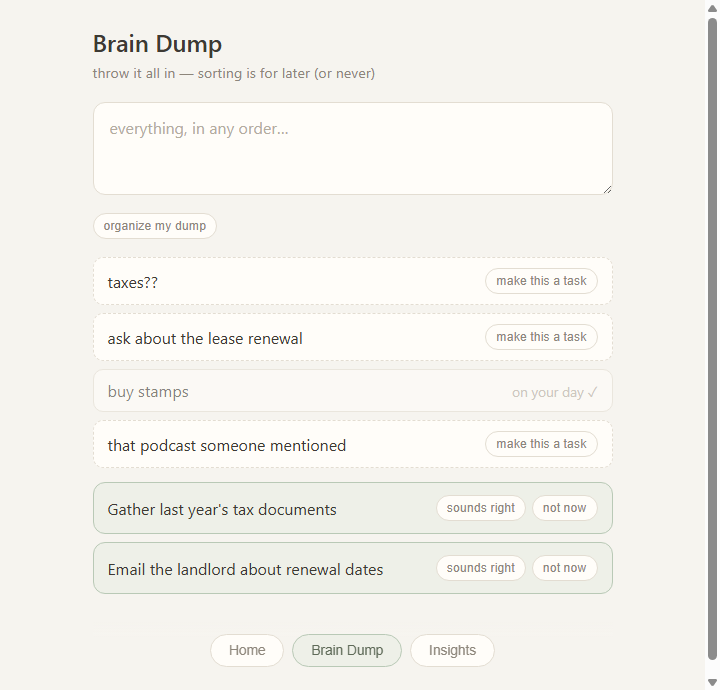
The planner opens straight into an input box. There is no sign-up wall, no workspace to name, and no email to confirm before it is useful.
Everything lands in one local SQLite file in your own app folder. Point the planner at a different folder and it follows — copy that file to a USB stick and your planner comes with it.
The brain-dump breakdown runs on-device by rule. A cloud model is an optional adapter behind a trait, off unless you turn it on — never a requirement for the planner to work.
Not a degraded mode with a banner across the top — the planner has no idea whether you have a connection, because it never looks.
The lifetime pass is a signed key you type in once; the app verifies it against an embedded public key with pure maths. No activation server, no licence check, nothing phoned home.
Every planning feature is free with no limits. The pass unlocks icon packs and sensory-friendly themes — aesthetics only, which is the one thing the product promises it will ever charge for.
Inside the planner
The brain dump takes an unsorted head in any order, then offers to cut the big ones into steps small enough to start. Every line of it stays in the same local file as the rest of your day.